Automating Billing Processes For Efficiency
Manual billing is a time sink. Invoice software takes over the repetitive tasks, letting you create and send bills much faster. This means less time spent on paperwork and more time for actual business. Automating billing processes is key to freeing up your team. It’s not just about speed; it’s about making sure things get done right the first time.
Think about it: instead of manually typing out each line item and calculation, the software does it for you. This reduces the chance of simple mistakes that can cause headaches later. The goal is to make your financial operations run smoother, day in and day out. Invoice software makes this possible.
This automation extends to sending out invoices too. Once a job is done or a product is shipped, an invoice can be generated and sent almost instantly. This quick turnaround helps get the payment process started sooner rather than later. It’s a simple change that makes a big difference.
Reducing Manual Errors In Financial Management
Human error is a fact of life, especially when dealing with numbers. When you’re manually entering invoice details, it’s easy to mistype a figure or miss a decimal point. These small errors can snowball into bigger problems for your financial records. Invoice software cuts down on this risk significantly.
By using pre-set templates and automated calculations, the software minimizes the need for manual data entry. This means fewer opportunities for mistakes to creep in. Reducing manual errors in financial management is not just about accuracy; it’s about building trust with your clients and having confidence in your own books. It’s a big deal for any small business.
Consider the impact of an incorrect amount on an invoice. It can lead to payment disputes, delays, and a damaged professional image. Invoice software helps prevent these issues by ensuring that the numbers are correct from the start. It’s a smart way to manage your money.
Enhancing Professionalism With Branded Invoices
First impressions count, and your invoices are often a direct touchpoint with your clients. Generic, messy invoices don’t exactly scream ‘professional.’ Invoice software allows you to create polished, branded invoices that reflect your business’s identity.
Most software lets you add your logo, choose specific colors, and include all necessary contact information. This consistency builds brand recognition and makes your business look more established and trustworthy. Enhancing professionalism with branded invoices is a simple yet effective way to stand out from the competition. It shows you pay attention to detail.
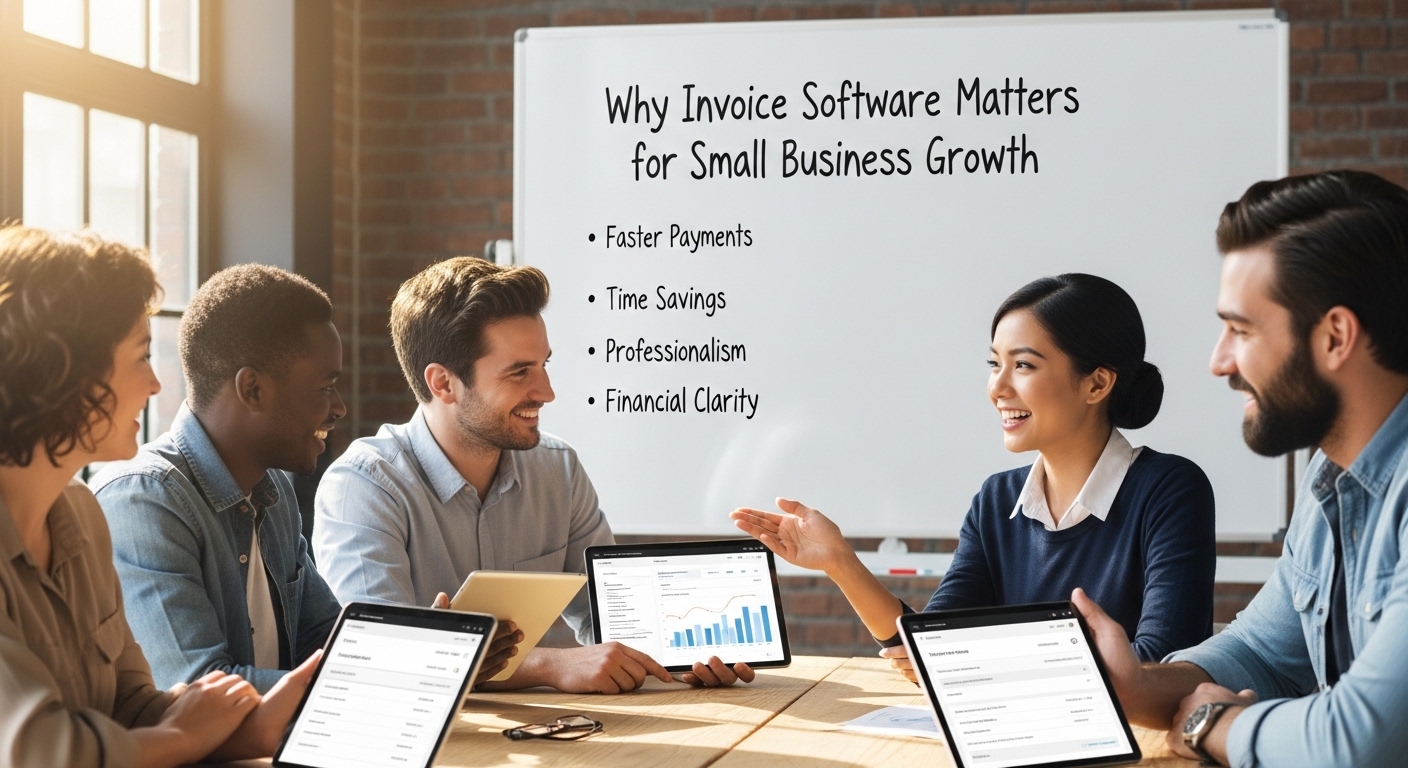
When clients receive a well-designed invoice, it reinforces their decision to work with you. It suggests reliability and attention to detail, qualities that are important in any business relationship. This professional presentation can even encourage faster payments because the invoice is clear and easy to understand.
Accelerating Cash Flow Through Faster Payments
The Importance Of Timely Invoicing For SMBs
Getting paid on time is a big deal for small businesses. Unlike larger companies, SMBs often don’t have huge cash reserves to cover slow payments. This is where timely invoicing really shines. Sending out invoices quickly after a job is done or a product is delivered means you get paid sooner. It’s a simple concept, but it makes a huge difference in keeping the business running smoothly.
The faster you invoice, the faster you get paid. This direct link is why invoice software is so important. It helps you create and send professional invoices without delay. This isn’t just about looking good; it’s about making sure money comes in when it’s supposed to, so you can pay your own bills and invest in growth.
Think about it: if you wait a week to send an invoice, you’re essentially giving your client an extra week of credit. With invoice software, that delay is cut out. You can generate and send invoices right away, often with just a few clicks. This speeds up the entire payment cycle.
Leveraging Online Payment Options
Making it easy for customers to pay is key to getting paid faster. Invoice software often comes with built-in online payment options. This means clients can pay you directly from the invoice, using a credit card, bank transfer, or other popular methods. It removes a lot of the friction that can slow down payments.
When customers have multiple ways to pay, they’re more likely to do so quickly. They don’t have to write a check, find a stamp, or go to the bank. They can just click a link and complete the transaction. This convenience benefits both parties and speeds up cash flow significantly.
Consider offering a few different payment methods. This caters to a wider range of customer preferences and makes the payment process as smooth as possible. The goal is to make paying you as easy as possible.
Automating Reminders To Reduce Late Payments
Even with timely invoicing and easy payment options, sometimes payments still get delayed. This is where automated reminders come in handy. Invoice software can be set up to send automatic follow-up messages to clients whose invoices are due or overdue.
These reminders are polite nudges that help clients remember their payment obligations. They can be scheduled for specific intervals, like a few days before the due date and then again a week after. This consistent follow-up is much more effective than trying to remember to call or email everyone manually.
Automating these reminders frees up your time and ensures that no payment falls through the cracks. It’s a proactive approach to managing accounts receivable and maintaining a healthy cash flow. This feature alone can drastically reduce the number of late payments your business deals with.
Key Features Of Effective Invoice Software
Customizable Invoice Templates
Having invoices that look professional is a big deal for any small business. It’s not just about looking good; it’s about building trust. Invoice software lets you create templates that match your brand. You can easily add your logo, choose your colors, and include all your business details. This makes every invoice you send look polished and consistent, which is great for your company’s image. It’s a simple way to make a good impression.
Recurring Invoice Capabilities
For businesses that have clients on a subscription or regular service plan, setting up recurring invoices is a lifesaver. Instead of manually creating the same invoice every week or month, you can set it up once. The software then automatically generates and sends these invoices on the schedule you choose. This saves a ton of time and also helps make sure your clients get billed on time, every time. It really smooths out the billing process for repeat business.
Expense Tracking And Reporting
Knowing where your money is going is just as important as knowing where it’s coming from. Good invoice software often includes features for tracking expenses. You can log costs, categorize them, and see how they relate to your income. This gives you a clearer picture of your business’s financial health. The reporting tools can then show you trends, help with tax preparation, and generally make managing your money much easier. It’s like having a built-in accountant keeping an eye on things.
Integrating Invoice Software Into Your Workflow
Seamless Integration With Accounting Systems
Getting your invoice software to talk to your accounting system is a big deal. It means when you send an invoice or get paid, that information automatically shows up in your books. No more typing things in twice. This saves a ton of time and stops those little mistakes that can really mess up your finances. Think of it as making sure all your financial data is on the same page, all the time.
This kind of integration is key for any small business that wants to keep its financial records clean and accurate. When your invoicing and accounting are linked, you get a clearer picture of where your money is going and coming from. It’s about making your financial management smoother and less of a headache. The right invoice software will connect easily with popular accounting tools, making this step much simpler.
The goal is to have a unified system where data flows freely between your invoicing and accounting platforms. This reduces the chance of errors and gives you real-time insights into your business’s financial health. It’s a smart move for any business looking to grow without getting bogged down in paperwork.
Connecting With CRM For Unified Data
Connecting your invoice software with your Customer Relationship Management (CRM) system is another smart move. It means all the information about your clients – their contact details, past purchases, and outstanding invoices – is in one place. This makes it easier to manage customer relationships and understand their financial history with your business.
When your CRM and invoicing tools are linked, your sales team can see if a client has overdue payments before making a new sale. Likewise, your finance team can see recent customer interactions when they’re dealing with an invoice. This unified data helps everyone in the company work together better and provide a more consistent customer experience. It’s all about having a complete view of your customer.
This connection helps in several ways. You can automatically update customer records when an invoice is sent or paid. It also helps in personalizing communication, as you have a full history at your fingertips. Using invoice software that links with your CRM makes managing client relationships much more effective.
Choosing Software Based On Business Needs
When picking out invoice software, don’t just grab the first one you see. You really need to think about what your business actually does and what you need it to do. A small shop selling handmade crafts has different needs than a consulting firm billing by the hour. The software should fit your specific way of working.
Consider things like how many invoices you send each month, if you need to track inventory, or if you have employees who need to send invoices from different locations. Some software is super simple, while others have lots of extra features. Make sure the invoice software you choose can handle your current workload and also grow with you as your business expands.
It’s also worth looking at how easy it is to use. If the software is confusing, your team won’t use it properly, and you won’t get the benefits. Look for something that feels natural to use and doesn’t require a whole lot of training. The right fit means less hassle and more efficient billing for your business.
The Benefits Of Modern Invoice Management
Improving Accuracy And Reducing Discrepancies
Modern invoice software takes the guesswork out of billing. By automating data entry and calculations, it significantly cuts down on the manual errors that can plague spreadsheets or paper-based systems. This means fewer mistakes in amounts, dates, and customer details, leading to fewer disputes and a smoother financial process. Accuracy in your invoicing directly impacts your bottom line.
When every invoice is generated with precision, businesses can trust their financial records more. This improved accuracy in invoice management means less time spent reconciling accounts and correcting mistakes. It builds a more reliable financial picture, which is vital for making smart business decisions.
This focus on accuracy extends to tracking payments and outstanding balances. With automated systems, there’s a clear record of every transaction, reducing discrepancies between what’s owed and what’s been paid. It’s about having a clean, dependable financial trail.
Gaining Visibility Into Financial Health
Understanding where your money is coming from and going is key for any small business. Invoice software provides a clear, real-time view of your financial status. You can easily see which invoices are paid, which are pending, and which are overdue, all in one place.
This constant visibility helps business owners make informed decisions. Knowing your cash flow situation allows for better planning, whether it’s investing in new equipment or managing payroll. It’s about having a pulse on your business’s financial health at all times.
The ability to track invoices and payments in real-time transforms financial uncertainty into actionable insights. This clarity is a game-changer for growth.
Freeing Up Time For Strategic Growth
Manual invoicing is a time sink. Chasing payments, correcting errors, and generating invoices one by one eats into valuable hours that could be spent on growing the business. Invoice software automates these repetitive tasks, giving you back that time.
With less time spent on administrative burdens, owners and their teams can focus on more important activities. This could include developing new products, improving customer service, or exploring new markets. It’s about shifting focus from operational tasks to strategic planning.
This reclaimed time is perhaps the most significant benefit of modern invoice management. It allows businesses to be more agile and proactive, rather than constantly reacting to administrative demands. Ultimately, it fuels the engine of business growth.
Selecting The Right Invoice Solution
Evaluating Ease of Use and User Interface
When picking out invoice software, think about how easy it is to actually use. Nobody wants to spend hours figuring out a complicated system. The best tools have a clean layout that makes sense right away. You should be able to create an invoice, send it, and see if it’s been paid without a struggle. If it feels like a puzzle, it’s probably not the right fit for your business. A simple interface means less time learning and more time getting things done.
Considering Scalability for Future Growth
Your business isn’t going to stay the same size forever, right? So, the invoice software you choose needs to grow with you. What works for a few clients now might not cut it when you have dozens or hundreds. Look for a solution that can handle more invoices, more clients, and maybe even more complex billing as your company expands. It’s better to pick something that can keep up from the start than to have to switch later. This is a key part of selecting the right invoice software.
Exploring Customization and Integration Options
Think about how the invoice software can look and feel like your brand. Can you add your logo easily? Can you tweak the layout a bit? Customization helps your invoices look professional. Also, consider how well it plays with other tools you use, like your accounting software. Good integration means less manual data entry and fewer mistakes. It helps keep all your financial information in one place, making the whole process smoother.
Wrapping Up: Invoice Software for Business Growth
So, when you get down to it, using invoice software isn’t just about sending bills. It’s about making your business run smoother and helping it grow. By taking the hassle out of creating invoices, tracking payments, and managing finances, these tools free up valuable time. This means owners and their teams can focus more on serving customers and developing new ideas, rather than getting bogged down in paperwork. Picking the right software might seem like another task, but it’s an investment that pays off by improving cash flow and making operations more efficient. It’s a smart move for any small business looking to get ahead.